Designing a network for a growing business requires a balance between current performance and future-proofing. It is no longer just about "getting online" — it’s about creating a resilient, secure foundation that can handle everything from high-definition video calls to AI-driven automation.
Here are 10 essential tips for building a professional-grade network for small to medium businesses (SMBs).
01Adopt a "Wire-First" Strategy
While Wi-Fi is convenient, it is susceptible to interference and congestion. For any stationary device — such as desktop PCs, servers, NAS units, and printers — always use a physical Ethernet connection.
- Benefit: Frees up wireless bandwidth for mobile devices and provides consistent, low-latency speeds for critical workstations.
- Pro Tip: Use Cat6 or Cat6a cabling to support speeds up to 10Gbps as your hardware evolves.
02Standardize on Managed Switches
Unmanaged "plug-and-play" switches are fine for a home office, but businesses need Managed Switches. These allow you to monitor traffic, prioritize specific data, and troubleshoot individual ports remotely.
- Power over Ethernet (PoE): Ensure your switches support PoE to power your VoIP phones, security cameras, and Wi-Fi access points directly through the network cable.
03Implement VLANs for Security and Traffic Control
A Virtual Local Area Network (VLAN) allows you to segment one physical network into multiple private ones.
- Essential Segments: Create separate VLANs for your internal staff, guest Wi-Fi, security cameras, and IoT devices (like smart thermostats).
- Security: This prevents a guest on your Wi-Fi or a compromised "smart" bulb from accessing your private accounting servers.
04Prioritize Quality of Service (QoS)
Not all data is created equal. QoS settings tell your network which traffic is the most important.
- The Hierarchy: Assign the highest priority to voice (VoIP) and video conferencing traffic. If someone starts a large file download, your video call won't lag or drop frames because the network knows to prioritize the call.
05Invest in a Next-Generation Firewall (NGFW)
In 2026, a basic router is not enough. You need a firewall that performs Deep Packet Inspection (DPI) to look inside traffic for malware and hidden threats.
- VPN Support: Ensure the firewall supports high-speed VPN tunnels so remote employees can securely access company files as if they were in the office.
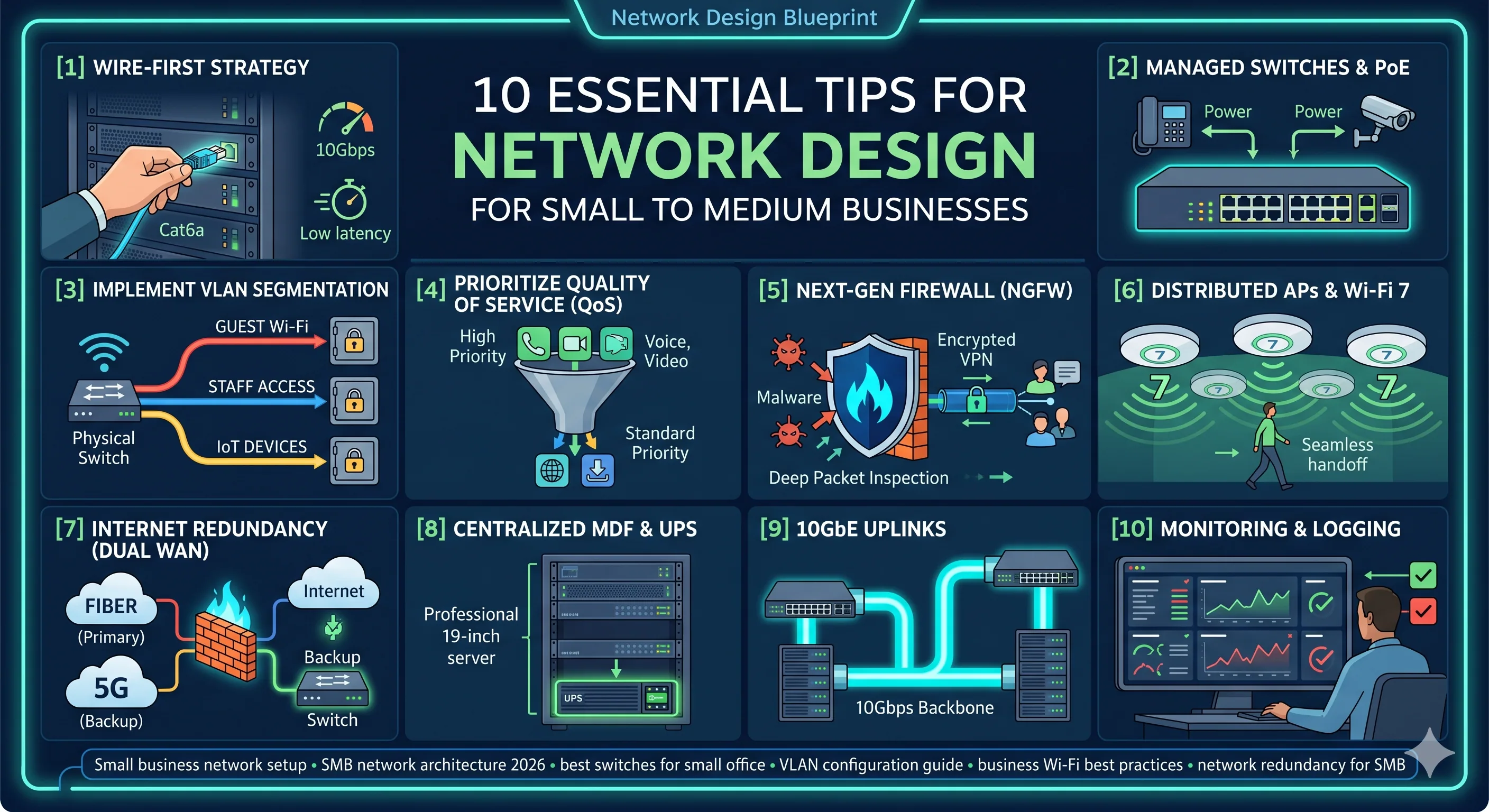
06Use Multiple Access Points (APs)
A single "powerful" router in the middle of the office is a recipe for dead zones. Instead, use multiple Wi-Fi 7 Access Points distributed throughout the space.
- Roaming: A managed Wi-Fi system allows users to walk from one end of the office to the other without their connection dropping as they "hand off" from one AP to the next.
07Plan for High-Speed Internet Redundancy
If your business relies on the cloud (Office 365, Salesforce, etc.), an internet outage is a total work stoppage.
- Dual WAN: Use a firewall that supports two internet connections (e.g., Fiber as your primary and a 5G/LTE or Starlink as a backup). The system should automatically switch over if the main line goes down.
08Build a Centralized "MDF" (Server Closet)
Designate a secure, ventilated space for your "Main Distribution Frame" (the server rack).
- Standardization: Use a 19-inch rack to keep your switches, patch panels, and servers organized.
- UPS Protection: Every critical piece of networking gear should be plugged into an Uninterruptible Power Supply (UPS) to protect against power surges and provide runtime during outages.
09Future-Proof with 10GbE Uplinks
Data sizes are growing. Ensure the "backbone" of your network — the connections between your switches and your servers — is rated for 10GbE (10 Gigabits).
Even if your individual workstations only use 1Gbps, having a 10Gbps "highway" prevents bottlenecks when multiple people are accessing the server simultaneously.
10Implement Robust Monitoring and Logging
You can't fix what you can't see. Use network monitoring tools to track "uptime" and bandwidth usage.
- Alerts: Set up notifications so you know immediately if an access point goes offline or if a specific port is seeing unusual traffic patterns, which could indicate a security breach.
Let Grizzly X design your network.
From cabling and managed switches through to dual-WAN failover, Wi-Fi 7 deployments, and 10GbE backbones — our engineers design and deploy networks built to last.